From Idea to GitHub: Launching the Sunshine Family Dashboard
Sunshine Family Dashboard Launched!
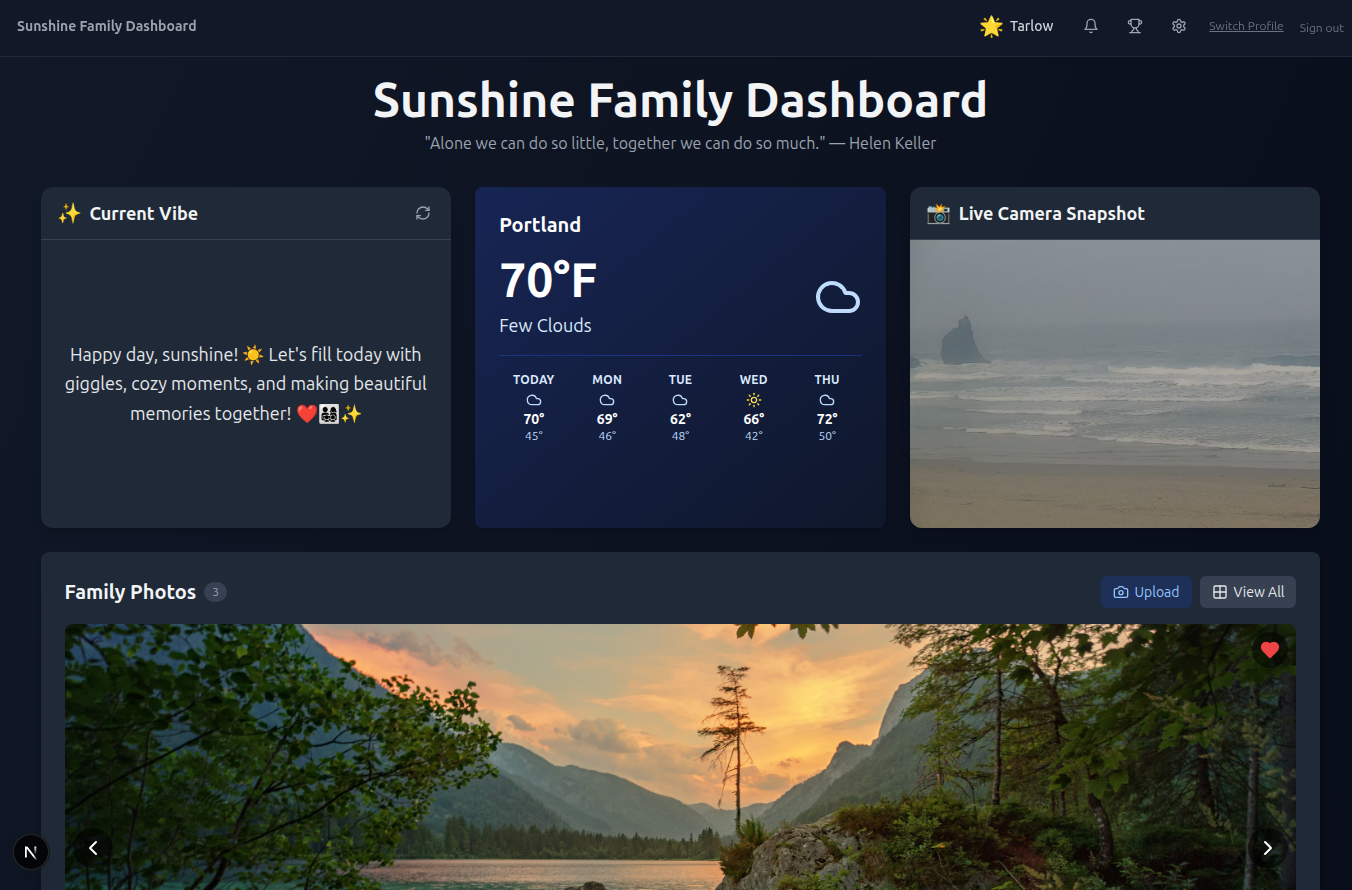
I am excited to share my first public project on GitHub, the Sunshine Family Dashboard.
It’s been a lot of fun developing this dashboard and I never thought that I would be here on my new blog talking about it, but here I am! We did it! The blog and the dashboard are not an idea anymore. They are both here are ready to grow.
The Sunshine Family Dashboard is a local, lightweight, and private dashboard that you and your family can use to stay in the loop with each other.
I built this as a project to dive deeper into new systems and to create a tool that both my wife and I would find useful.
I figured, if we find it useful and end up using it everyday then maybe some people will too. So I started working on it and reiterating on it over time until we found it useful.
And, if I can help one person or family that’s a win for me at the end of the day.
So I published it.
The future is here…
I kept thinking that while I was building out the family dashboard.
With the help of modern tools like Github Copilot for VsCode, Gemini, and my local models running on LM Studio. I was able to figure out some of the points that once slowed me down or grinded me to a halt.
Really, asking question to myself in my head was the slowest part of building the whole system out. What should it look like? What features did I want it to have? These were all questions I asked myself.
These questions led to choices and those choices led to features being built in minutes rather than hours or weeks. Bringing together ideas into features that both my wife and I found useful helped smooth the process and make it fun.
Collaborating with her helped me understand what features to keep and what to get rid of or simply not waste time building out. Keeping the whole process simple, fast, and effective.
Why Local-First Matters
We wanted to keep our data ours for this project, especially the tracking of all our activities, notes, tasks, and meal plans. Essentially, you can track and paint a picture where someone is or who they are with this access to some of this information.
This is why we took a local-first approach to a lot of the features on the dashboard. To keep those habits and behaviors something for you to learn from, not large companies or prying eyes.
The data stored by the app sits securely on your device using a local Prisma database and can be deleted at anytime.
The only two features that connect outside your local network at the Weather panel, which uses an API request to pull the weather data from OpenWeatherMap
And, the Live Camera Snapshot panel, which is also optional but really useful to keep tabs on your favorite camera. It takes single cam image (which usually sites save to the same url) and uses cachebuster to have a new image each refresh from the same URL. We use it to see how the beach weather is.
Everything else, lives on your device.
Features Built for Real Life
Having a place where my wife and I can collaborate has been amazing.
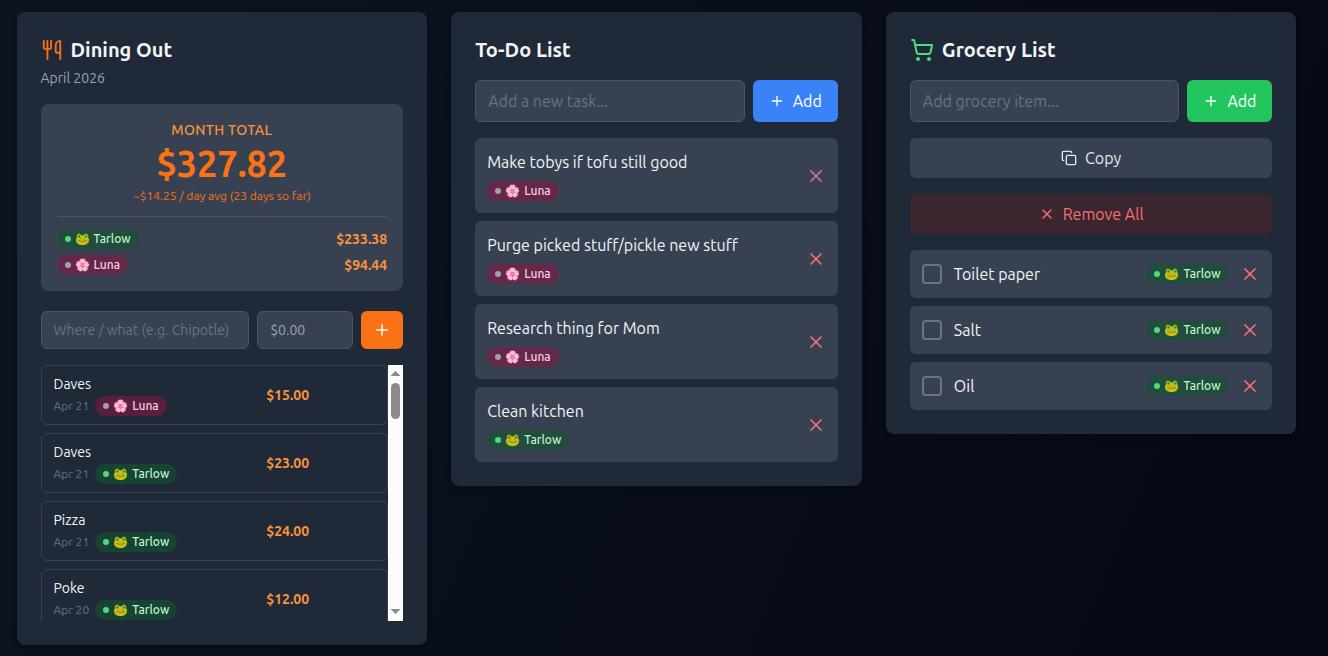
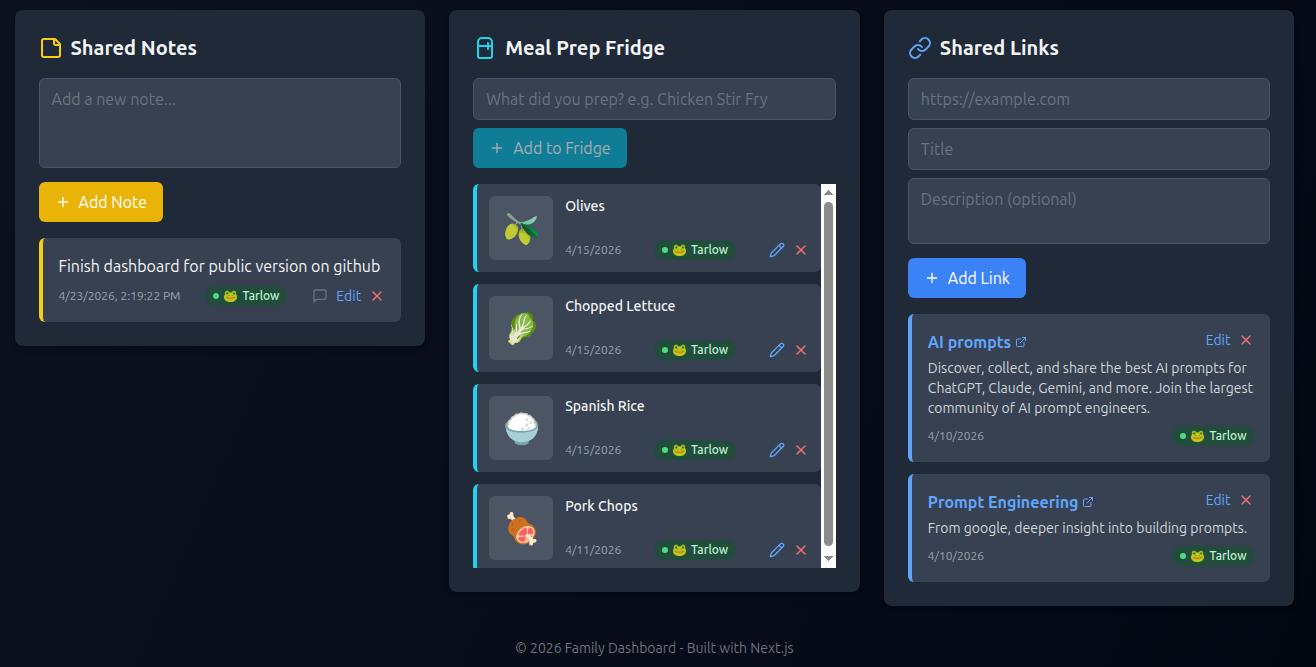
We can keep each other motived with showing accountability for exercising, get a hourly snapshot of the beach, see the current weather, track and plan our dinners, and easily see what’s in the fridge that we need to eat (and the date it was stored, no more labels on containers!).
Using it has kept us more in the flow with each other. For example, I like to plan the dinners and sometimes my wife wants to add something to the meal or let me know she picked up the salmon, so she just put’s a note.
I really like the ability to move dinners around by dragging them to a different day. Because sometimes we are either both too busy or we just go out to eat but both want to still move the dinner to the next day. So we just drag it over.
Need a dinner idea for something not already mentioned on your Weekly Dinners list? If you hooked up your local LLM you can request dinner ideas and get some fun toast alerts when using some of the other panels.
The local LLM also powers getting related emojis for the Meal Prep Fridge panel.
And keep everyone on the same page when it comes to notes, eating out costs, and what’s for dinner. These features help streamline decisions and keep the important things noted so you don’t have to waste time/energy remembering them. Just check-in to the dashboard!
A Single Source of Truth for the Household
With features like what’s in the fridge, notes, links, grocery lists, this weeks dinner plans and tracking our dining out expenses. The family dashboard has been a useful tool we both use each day.
And now, we can finally take the guesswork out of what’s for dinner? or what did I have to do this evening? type of questions. It helps keep us more connected and most of all helps us flow better with each other every day.
If you give it a try, I hope you and your family get as much use out of it as we do.
Check out the project page:
Related Posts
Sunshine Family Dashboard Major Update v2.0 🎉 Massive Update: Sunshine Family Dashboard v2.0.0 is Live! I’ve been working on a big overhaul for the dashboard, and v2.0.0 is finally ready! This release is all about bringing more structure and…