Pixel Juice Studio - Browser Tool for Game Juice
A single HTML file that adds squash and stretch, hit flash, outline, glow and pixel particles to your sprites, then exports a PNG sprite sheet or an animated GIF. Twelve dollars, once.
Project details
You have drawn the sprite. It looks right. Then it lands, and nothing happens.
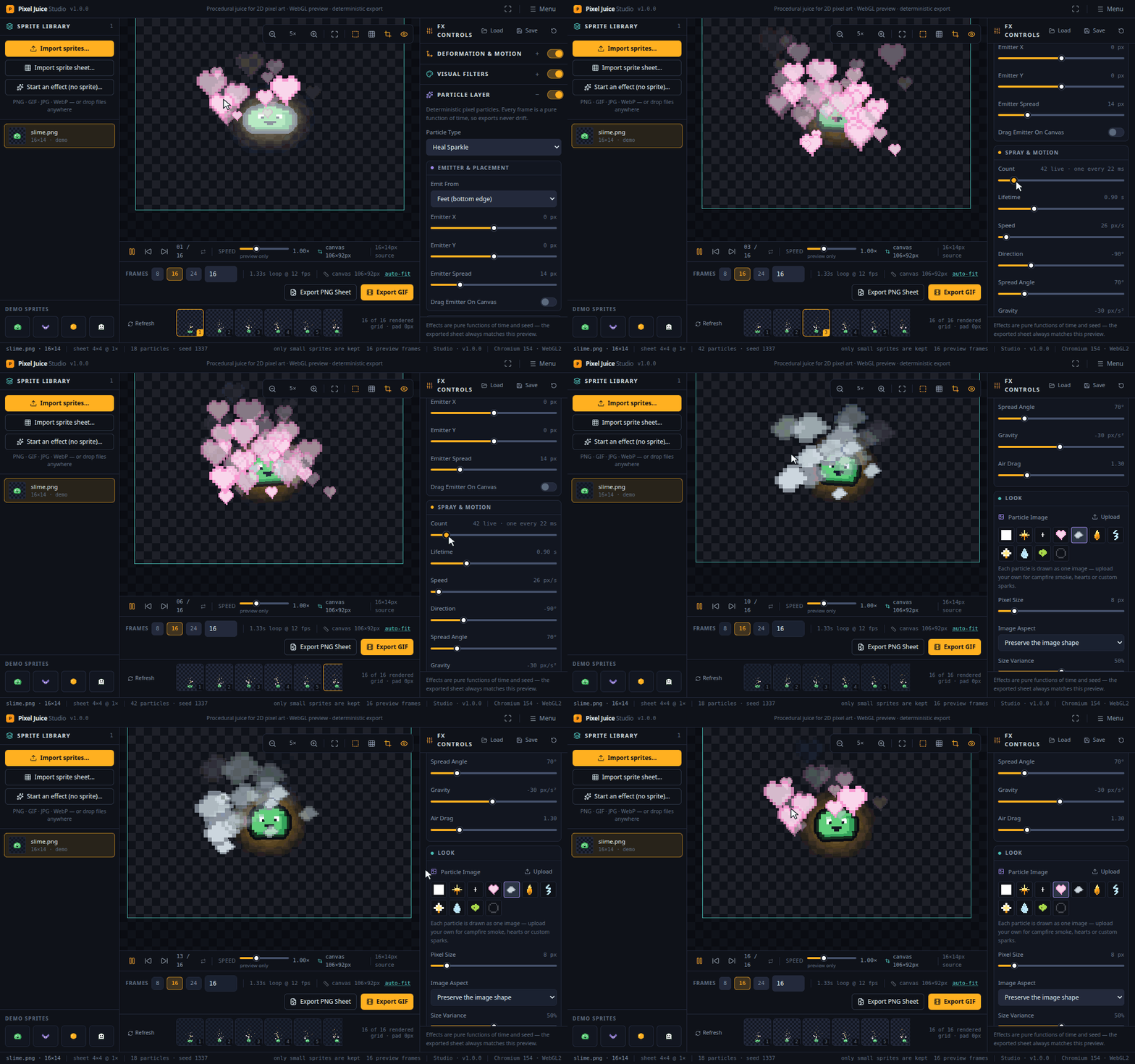
Pixel Juice Studio is the other half. You import a sprite, dial in squash and stretch, a hit flash, an outline, a glow and pixel particles until it feels good, then export a PNG sprite sheet or an animated GIF.
The particles come in eighteen kinds, with an emitter you can drag anywhere on the canvas. Above the sprite’s head, under its feet, off the art entirely. Aim the spray with the same handle, and the same seed gives you the same field on every export.
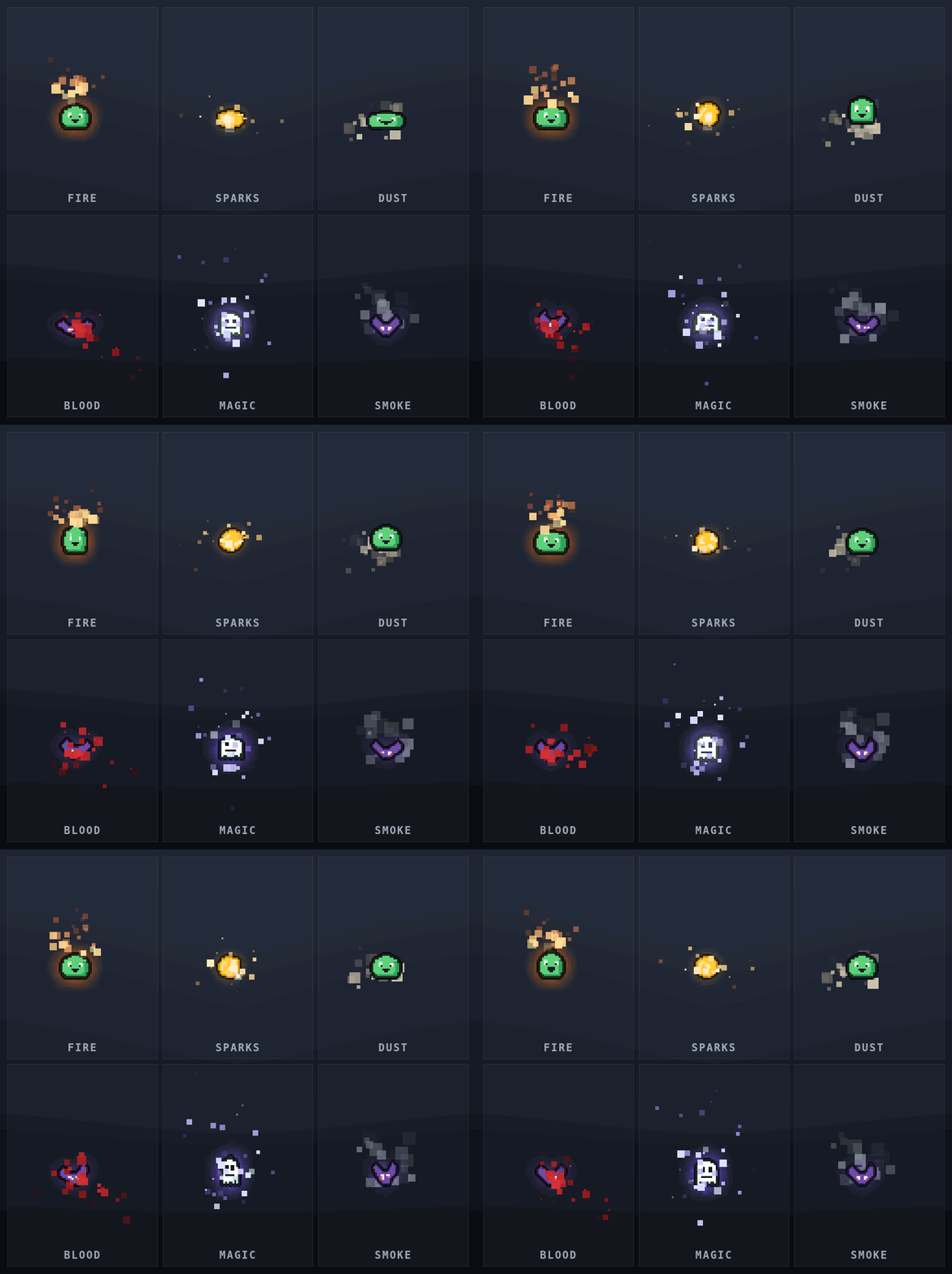
An impact spark, a dust puff or a muzzle flash does not need a sprite behind it. An effect project opens an empty canvas, pinned to the size you pick, with the particles already running and the emitter handle up. Drag it where the burst should land, then export. Every frame comes out at the size you asked for, on transparency.
There are twelve ready-made looks. The default is called Plain, and every effect in it starts off, so your sprite is the sprite you imported. Game Juice brings them all back in one click.
One file, nothing to install
The studio is a single HTML file. You buy it, download it, double click it, and it opens in Chrome, Edge or Firefox. Everything it needs lives in that one file, so it runs with the wifi off.
It remembers your work, too. Your settings, your sprite library and any particle image you brought in are waiting next time you open the file. Very large sprites may need importing again, because a browser keeps only a small amount of storage for a page opened straight from a file. When that happens, the studio tells you, so you are not left wondering where your sprite went.
The file you export is the file you saw
The studio works out every frame from scratch. All it needs is the time and your settings. Nothing carries over from the frame before, so nothing drifts. Frame 37 comes out the same as frame 0, and a loop you export really does loop.
The export rectangle is drawn on screen while you work. It starts wide enough for your effects to reach past the sprite, and it tells you when a narrower choice would clip them. PNG sheets come out as a grid, a horizontal strip or a vertical strip, at up to 8x with no blurring. GIFs come out with a single global palette and honest per-frame timing.
Your presets save as plain JSON, so your hit feel can live in version control and get passed round the rest of the team.
Requirements
Chrome, Edge or Firefox, on Windows, macOS or Linux. The studio needs a graphics card the browser can use, and if hardware acceleration is switched off it says so plainly, so you are never left staring at a blank canvas.
Twelve dollars, once. Sprite sheets, GIFs and presets you make are yours to use commercially. The paid file loads nothing but itself, so it phones home to nobody.
Get Pixel Juice Studio on itch.io →
I wrote about what it does and why it is one file here: Pixel Juice Studio Is Out.